

That’s a fairly bold title, I know. But after spending years reading SEO proposals (and more recently: wrtiting them) I wanted to build the tool I’d actually use myself… You know, one where you can just open a proposal, start editing immediately, and leave with a polished PDF without paying or signing up.
So I built a free SEO proposal template with Lovable in under a week.
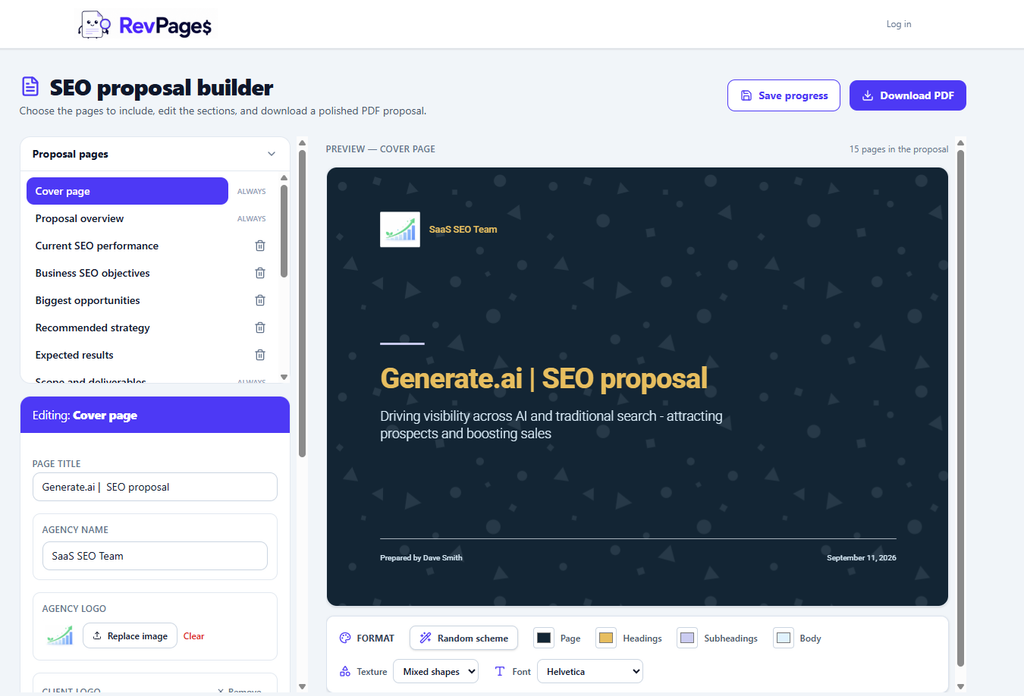
It has the usual things you’d expect, such as space for your approach, deliverables and pricing. But I also wanted it to handle the parts that make an SEO proposal convincing: showing a client where they stand now, what opportunities you’ve found and where your SEO campaign can take them as a business.
Why I wanted to build it
When I’ve pitched SEO work, the proposal has usually been the most time-consuming part of the sales process.
You need to understand the client’s business and website, find worthwhile opportunities, work out what you can realistically deliver and turn all of that into something a potential client can understand. After doing the actual thinking, you still have to wrestle with a document or presentation to make it look presentable.
You can find plenty of generic proposal templates online, but many are essentially blank documents. They give you catch-all headings and leave you to turn it into someting that actually describes your proposed SEO work.
There are also some very capable proposal software tools out there (Proposify, GetAccept etc.). They’re useful if you send a lot of proposals and need things like approval workflows, signatures and team management. But if you just want to put together a good SEO proposal today, they can feel like a lot to take on. You may have to create an account, learn the editor or choose a paid plan before you’ve produced anything useful.
And their templates aren’t built specifically for SEO proposals.
I had a simpler idea: what if you could land on a page and just start editing a dedicated SEO proposal?
That became the starting point for the builder.
You can start editing straight away
The biggest benefit is also the least glamorous: there’s no setup process.
Land on the page and you can begin changing the content right away. Add the client’s details, replace the example text with your own findings, adjust the scope and make it yours.
It’s completely free, and you don’t need to sign up to use it. When you’re finished, you can download the proposal as a PDF.
That matters because a proposal builder should save time from the first minute. I didn’t want someone to spend ten minutes creating an account and configuring a workspace before they could discover whether the template was any good.
It also means you can use it in different ways. You might fill in the whole thing for a new client, borrow the structure for a proposal you’re already writing, or open it just to see how another SEO professional might present a performance review or pricing table.
It’s built around SEO work
A generic proposal template might have pages for “the challenge”, “our solution” and “investment”. Those can be helpful, but they don’t tell an SEO freelancer or agency how to present what they’ve actually found.
I wanted the template to give you a starting point for the SEO-specific parts of a pitch: the client’s current performance, the opportunities you’ve identified, your recommended work, the expected value and the fees.
That doesn’t mean the tool writes your strategy for you. You still need to analyse the client’s website and decide what’s worth doing. The template helps you present that thinking clearly, so a client can follow the connection between the problems you’ve found and the work you’re proposing.
For me, that’s the difference between a proposal that says “we’ll improve your SEO” (that generaly leave client’s confused) and one that makes someone think, “I understand the work you will deliver, and the results it could generate – and why I should trust you to do it .”
Here are all the pages I included in the tool:
- Cover page – Add your branding, the client’s name and the proposal title.
- Proposal overview – Summarise what you’re recommending and why.
- Current SEO performance – Show how the client’s website is performing today.
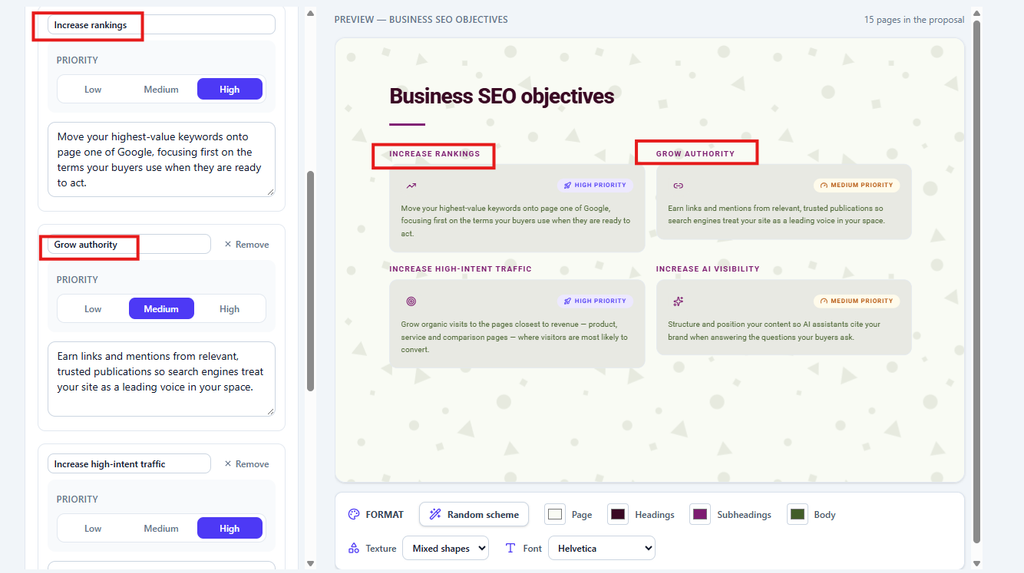
- Business SEO objectives – Set out the commercial goals the SEO work should support.
- Biggest opportunities – Highlight the pages and keywords with the most potential.
- Recommended strategy – Explain what you’d prioritise and how you’d approach the work.
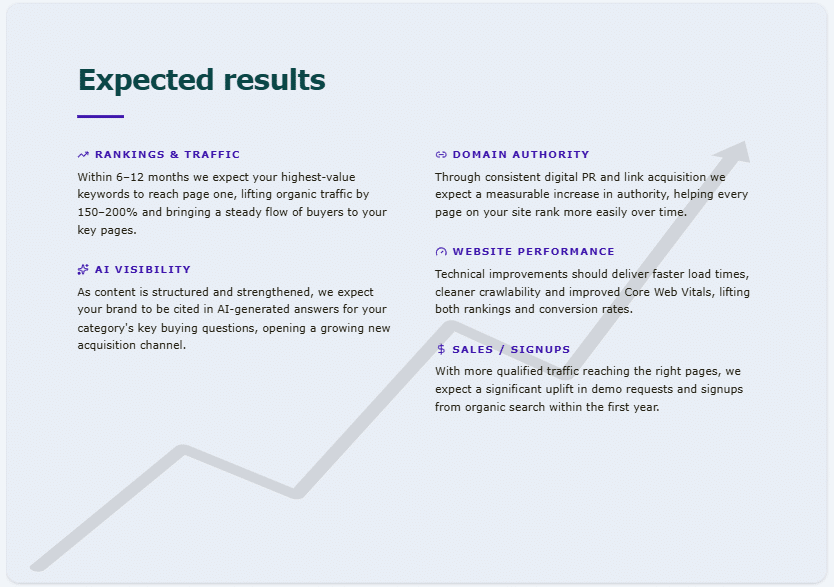
- Expected results – Show what the work could achieve, with forecasts clearly labelled as estimates.
- Scope and deliverables – Spell out exactly what’s included.
- Timeline – Show when each stage of the work will happen.
- Reporting and measurement – Explain what you’ll track and how you’ll report progress.
- About us – Introduce yourself or your agency.
- Case studies – Share relevant examples of previous work and results.
- Testimonials and reviews – Add feedback from past clients.
- Pricing – Break down your fees, with totals calculated automatically.
- Next Steps – Tell the client how to get started.
Pages can be added and removed depending on the pitch.
A few features I enjoyed building
I made the tool using Lovable, and the whole process took less than a week. I expected to get a basic editable template working. What surprised me was how quickly I could add little interactive details that make the finished proposal feel more useful.
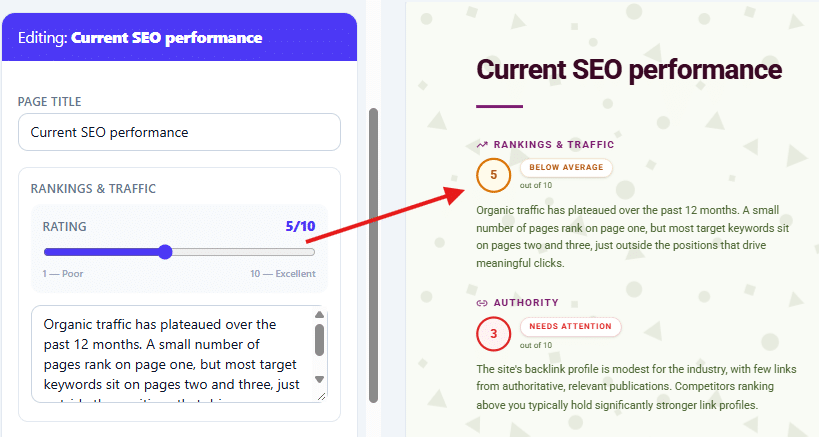
One example is the performance rating scales. You can change a rating, and the number and colour update on the page, moving from red towards green. It’s a small thing, but it gives you a quick way to show a client how you assess different areas of their SEO performance without asking them to interpret a wall of text.
The pricing tables also total the fees automatically. That saves a bit of manual calculation, but more importantly, it makes it easier to change the scope while you’re working. If you add or adjust an item, the total changes with it.
I also wanted people to be able to make the proposal look like their own. You can adjust the design and upload images, rather than sending every client the same fixed PDF with their name swapped in.
None of those features is revolutionary on its own. Together, though, they make the template feel like something you can work in, rather than a document you have to download and repair.
What’s really incredible is that the app’s functions and quality are similar to the StandOut CV app, which cost me tens of thousands of pounds to build over several months. I’m sure there will be a few bugs and issues that need addressing, but to get a working app out that quickly and cheaply is amazing.
The “biggest opportunities” page
One of the sections I particularly wanted to include was a page for the client’s biggest SEO opportunities.
When I’m looking at a potential client’s site, I don’t want to hand over a long list of keywords and hope they’ll see the value. I want to show a few examples of pages they could create or improve, why those pages matter and what the potential upside might look like.
That’s also closely related to why I’m building RevPages. The platform is designed to help SaaS teams find commercially valuable SEO page opportunities and prioritise them by potential revenue and achievability.
In a proposal, those opportunities can make the work much easier to picture. “We’ll do keyword research” is an activity. “Here are three pages we could work on, and here’s why I’d prioritise them” is the beginning of a plan.
Any revenue figures in a proposal should be treated as forecasts based on assumptions and search data, of course. They aren’t guarantees. I think it’s still much more useful to show your reasoning than to promise vague growth.
Who it’s for
I built this with SEO freelancers and agencies in mind, but you don’t have to use every page exactly as I laid it out.
If you’re a freelancer, you might want a straightforward proposal that explains your findings, sets out a manageable scope and gives the client a clear price.
If you run an agency, you may want to add more detail about your process, team and deliverables, or tailor the design to your branding.
And if you’re new to pitching SEO work, the template can simply give you a structure to work from. You can see the kinds of questions a proposal needs to answer, then replace the example content with your own judgement.
I hope it also helps people avoid a common trap: making a proposal sound impressive without making the work clear. Clients shouldn’t need to know SEO terminology to understand what you’re recommending, what it will cost and what happens next.
Why make it free?
There’s a business reason, as well as a practical one.
I’m hoping the builder will be useful enough that SEO professionals share it, link to it and come back when they need to create another proposal. Some of those people may also discover RevPages and decide to try it for their own work or their clients.
That would be a great outcome for me. But the free tool has to be genuinely useful on its own for that to happen. If it asks for a sign-up before you can edit anything, or makes you pay to download the result, it’s no longer solving the problem that made me build it.
So the aim is simple: make it easy to create a proposal you’d feel comfortable sending to a client, then let people get on with it.
Give it a try
I built the first version in under a week, so I’m sure there are things I’ll improve as people use it. I’m particularly interested in whether the SEO-specific pages help, which sections people edit most and what would make the finished proposal easier to send.
If you’ve got an SEO pitch coming up, try building it with the free SEO proposal template and see how far you get. And if something feels clumsy or missing, let me know. That’s exactly the sort of feedback I want while I’m improving it.